Simulator production
Unique simulators, made for your subject
Some things need to be practised before they are done for real. We make simulators for what students and staff need to learn, together with the subject teachers. The simulator runs in the browser and goes straight into your e-learning system, with progress and results in the gradebook.
Example 1 · Technology
XR simulator: See the world through the glasses
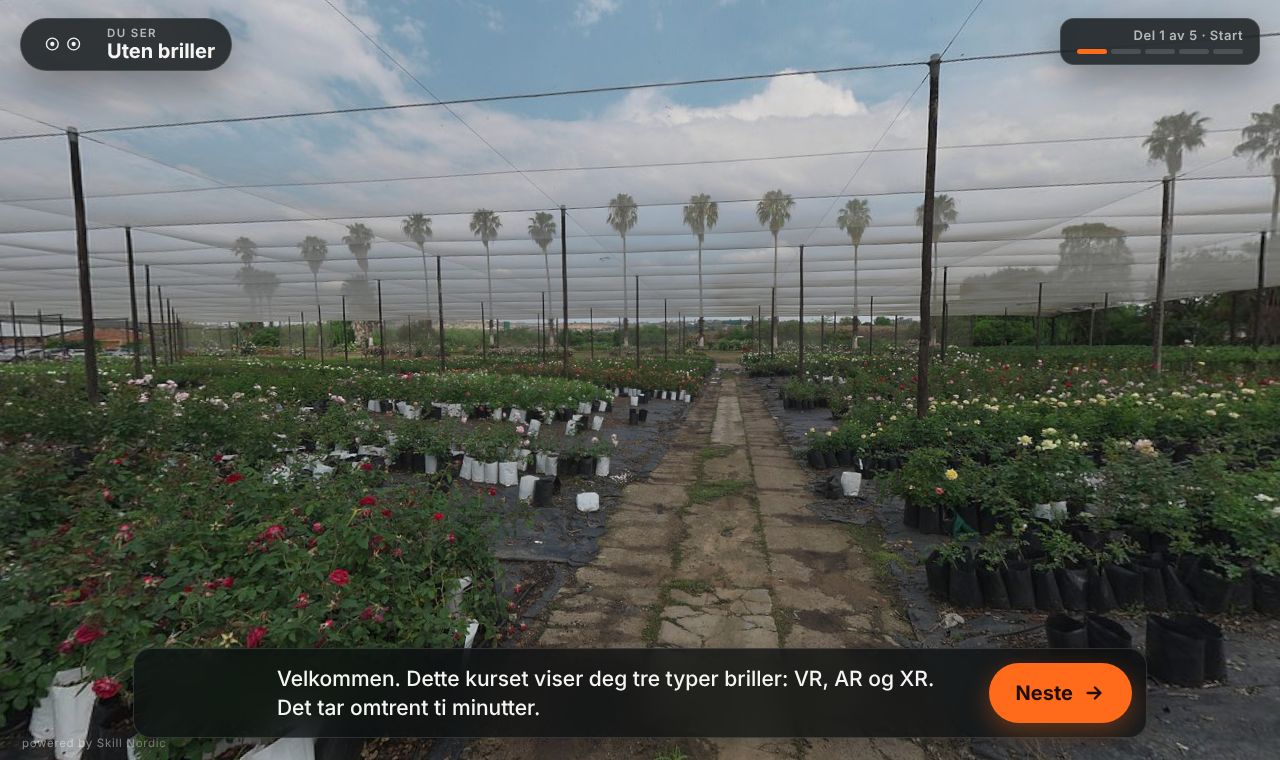
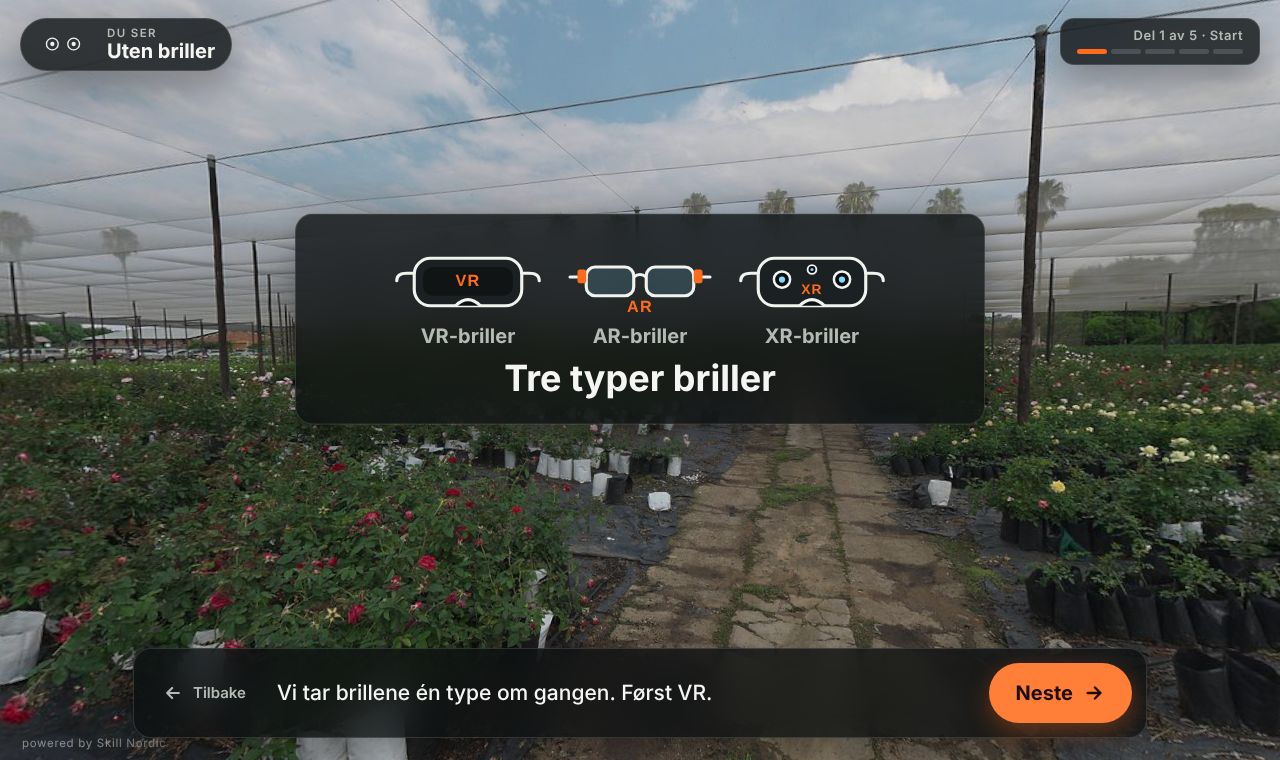
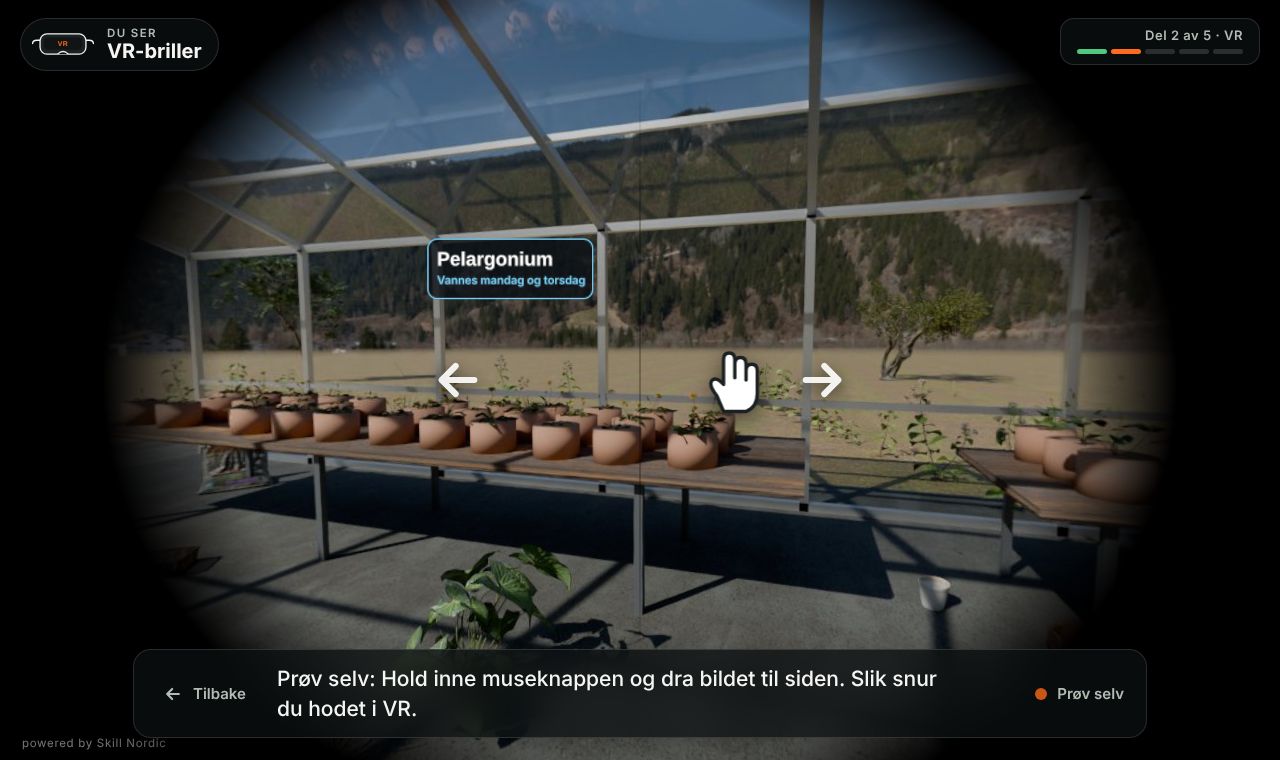
A simulator for beginners that shows what VR, AR and XR glasses do, and what the world looks like for the person wearing them. The student stands in a garden nursery and tries the glasses one type at a time: the VR glasses take the student to a greenhouse that does not exist, the AR glasses place plants on top of the real garden, and the XR glasses can do both. At the end there are a few questions, and in Moodle the result goes to the gradebook.
Example 2 · Health
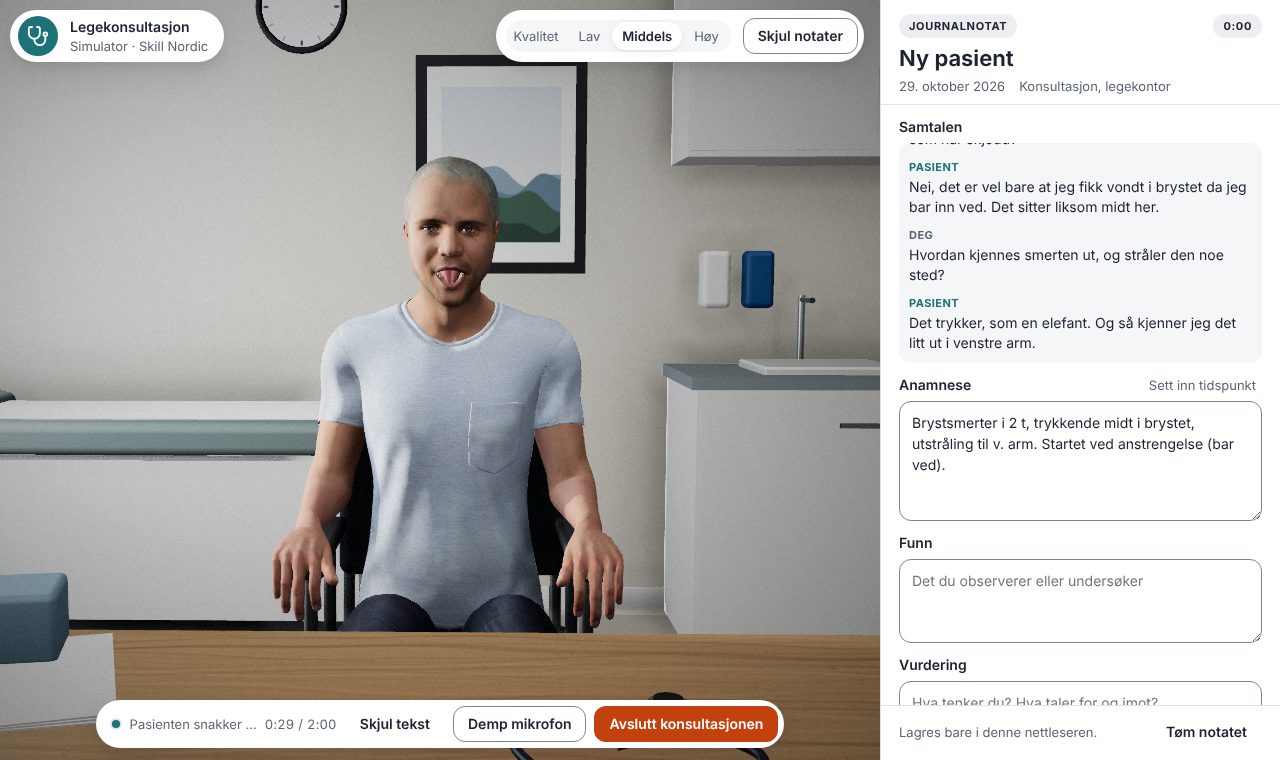
Consultation simulator: talk to the patient
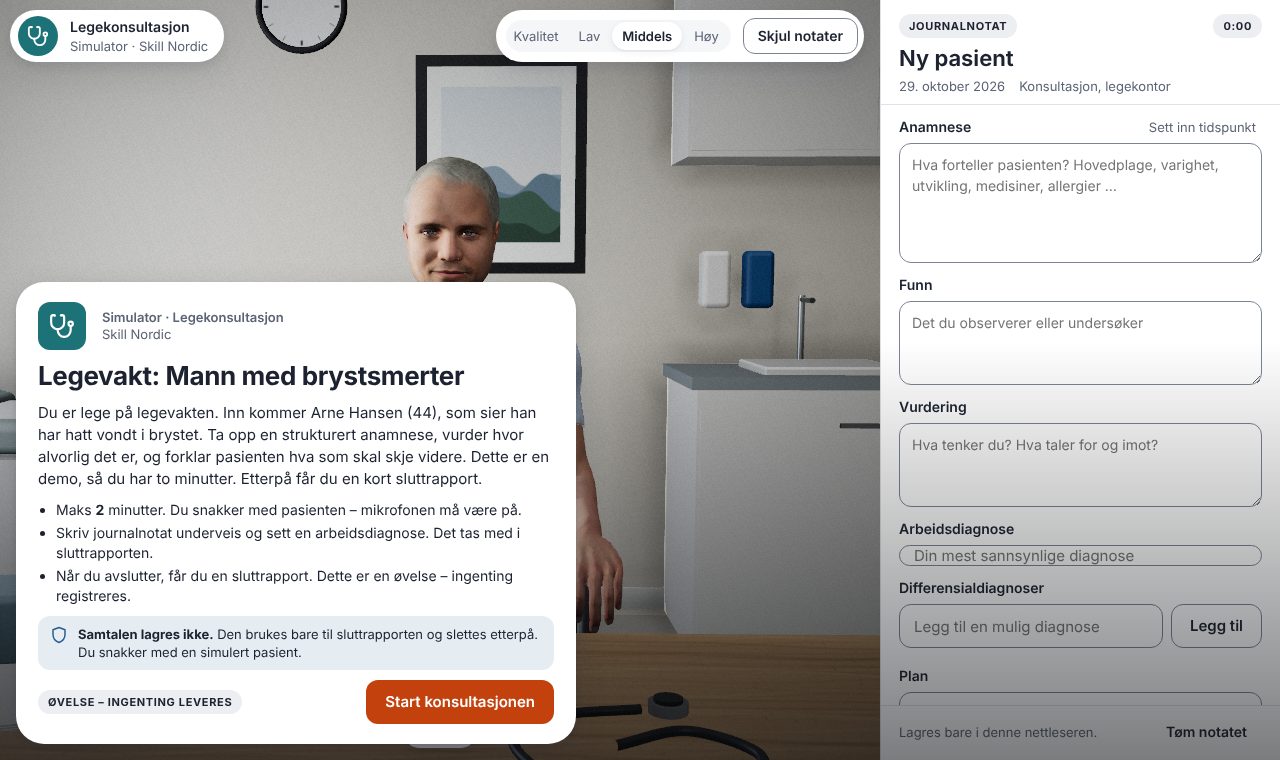
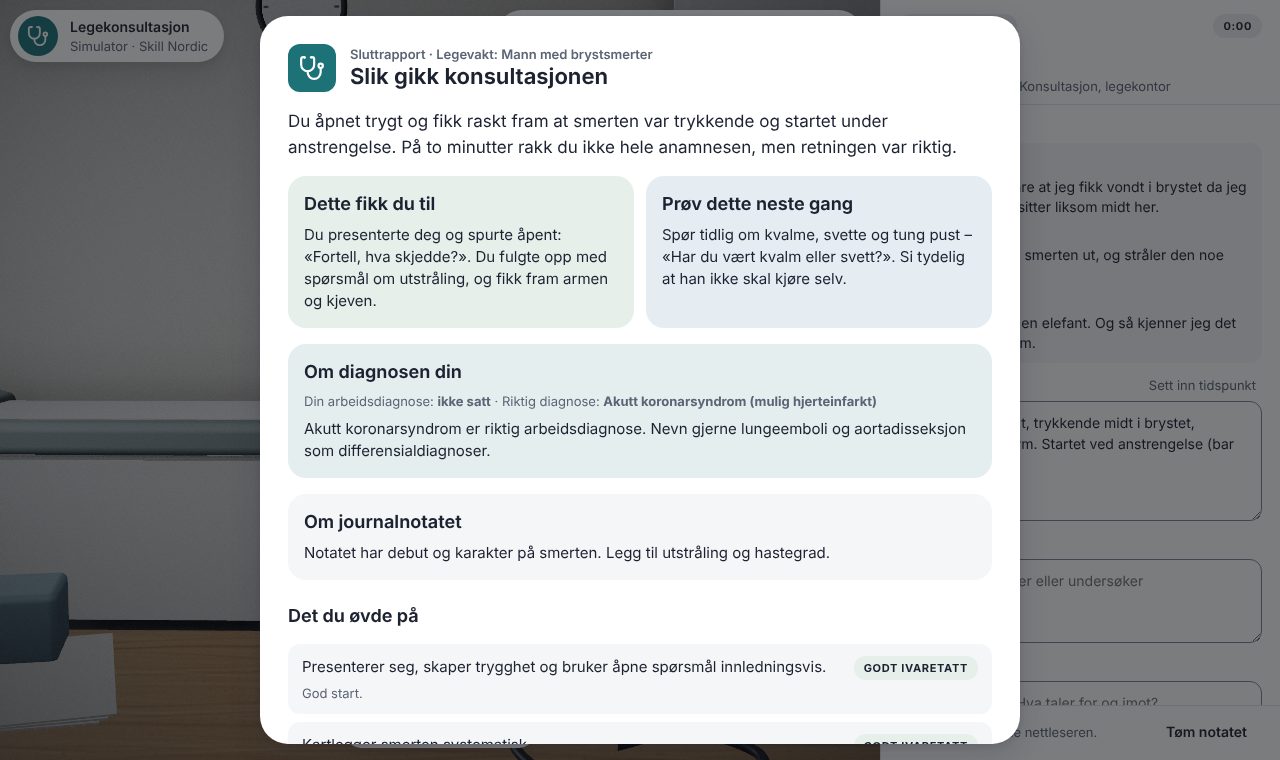
The student sits in the doctor’s chair and talks to the patient, using their voice. The patient only answers what the student asks about. Along the way the student writes a medical note and sets a working diagnosis, and afterwards there is a final report on what went well and what can be improved.
The teacher decides the scenario. Chest pain is just the demo. The teacher can create any patient and problem, write the case themselves or get a draft from Skill based on a few sentences.
Example 3 · Anatomy
The heart in 3D: explore and test yourself
A 3D model of the heart that the student can rotate, zoom and click on. Each of the 13 parts, from the venae cavae to the apex of the heart, has its name in Norwegian and Latin, an explanation of what the part does, and what it means in practice for the nurse. The markers are colour-coded for oxygen-rich and oxygen-poor blood, and some parts are on the back. In “Test yourself” the student has to find eight parts on the heart without names, and the best result is saved in Moodle.
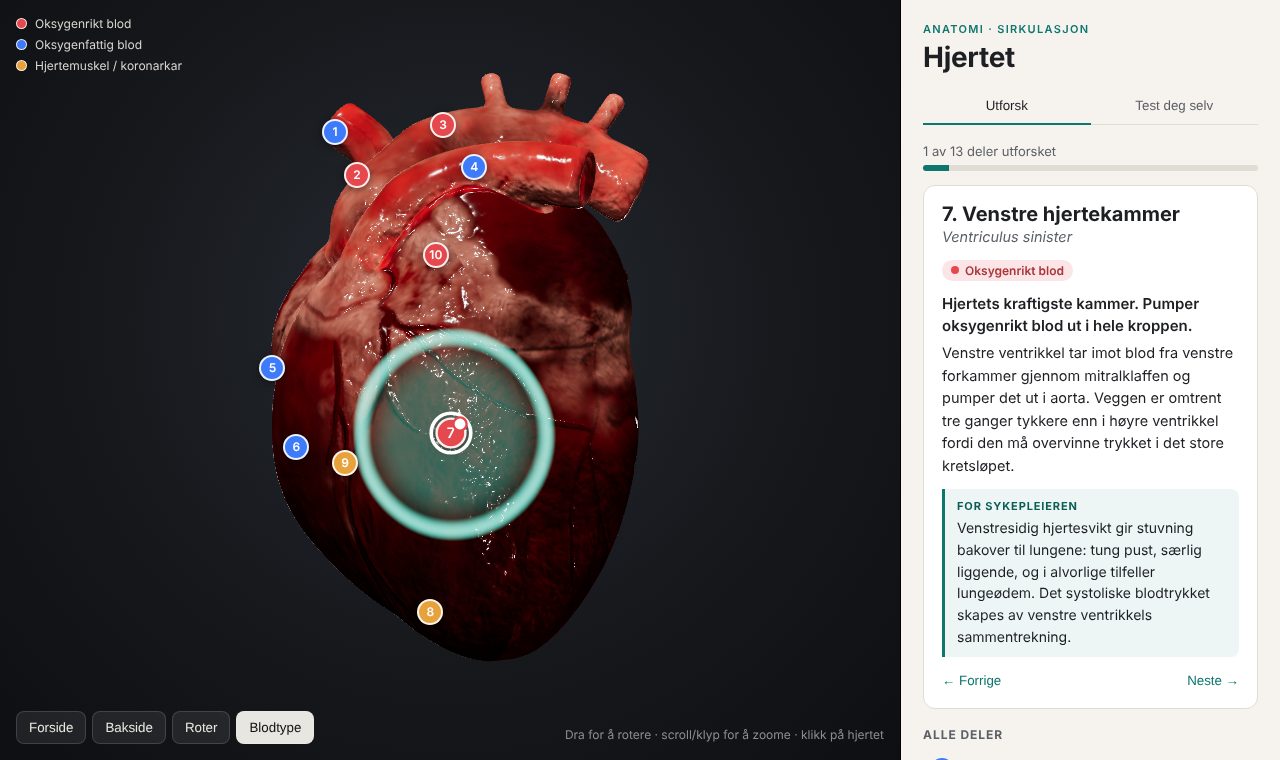
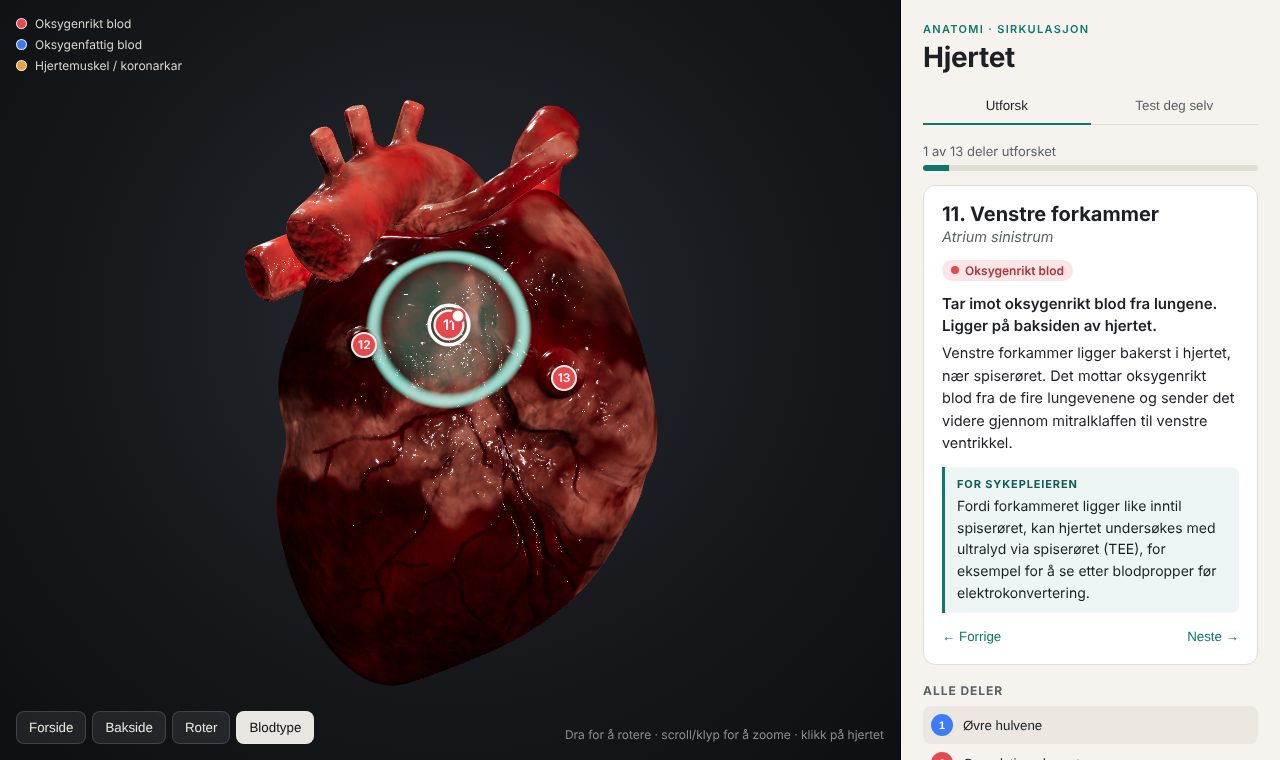
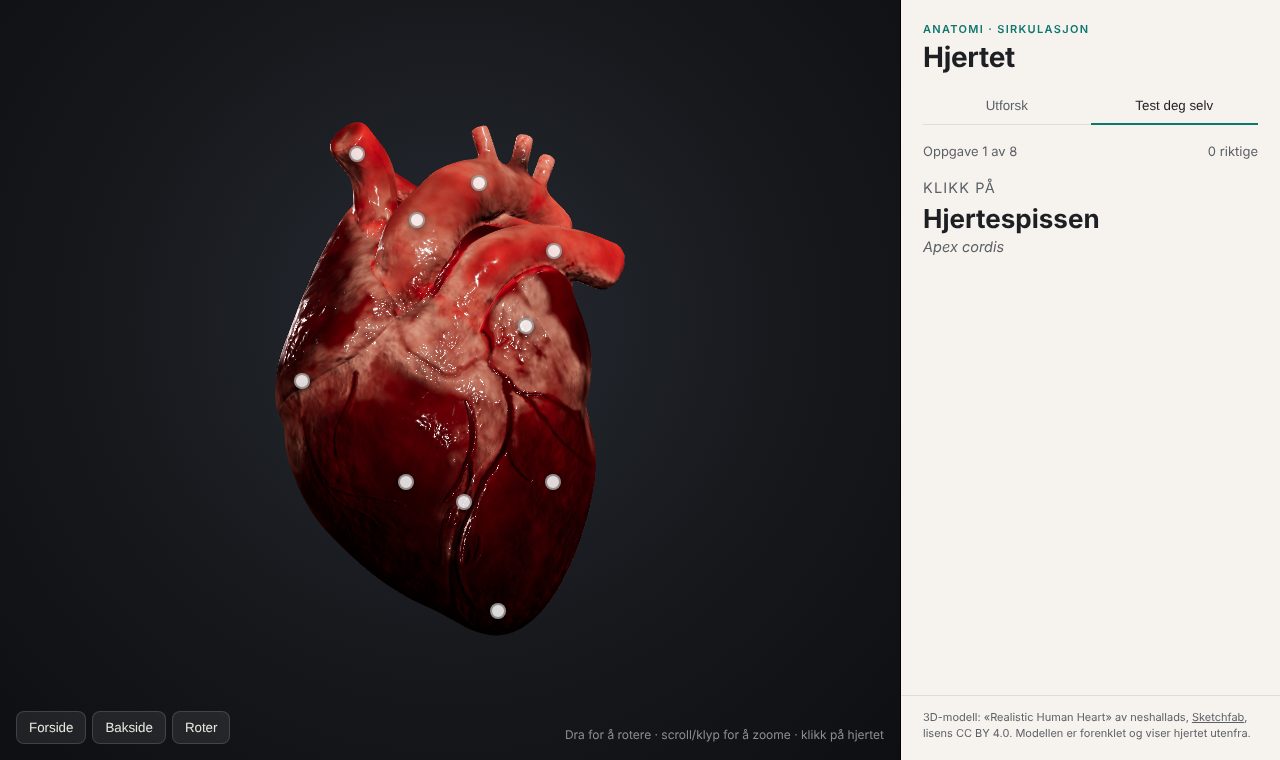
3D model: “Realistic Human Heart” by neshallads on Sketchfab, licence CC BY 4.0. The model has been simplified.
What can a simulator be used for?
- Equipment and machines. Go through a procedure step by step before the equipment is used for real.
- Patients and customers. Practise assessments, sequence and communication before it involves a real person.
- Safety and emergency preparedness. Practise situations that are dangerous, rare or impossible to recreate in the classroom.
- Places and environments. Take the students to a workplace with 360-degree images or 3D, without travelling there.
- New technology. Let the students try technology the organisation does not have, such as the glasses in the first example.
Ordering
How to order a simulator
You know the subject, we make the simulator. Along the way you try it and give feedback, so it is right before the students start using it.
- Get in touchTell us briefly what the students or staff are going to practise in the form at the bottom, and we will find a time.
- First meetingWe go through the learning objectives, who will use the simulator, and what is difficult to practise today.
- Proposal and fixed priceYou receive a proposal for content, tasks and assessment, with a fixed price and delivery time. We only start once you have said yes.
- Script together with the subject teachersWe write the script, tasks, questions and feedback. The subject teachers check the subject content and approve the script.
- We build, you tryYou receive a link to the simulator while it is being built, try it and give feedback. We correct it until it is right.
- Ready in the e-learning systemThe simulator is added as an activity with progress and grade, in Moodle or another learning platform that supports SCORM.
What we need from you
- A subject teacher as contact person.
- Learning objectives, and procedures, checklists or images you already use.
- Time to read the script and try the simulator along the way.
What you get
- A simulator that runs in the browser, without glasses or installation.
- An activity in the e-learning system with progress and results in the gradebook.
- A SCORM package that also works in other learning platforms.
Questions about simulators
What does a simulator cost?
It depends on how much is to be built: how many rooms or places, how much 3D, how many tasks and how many languages. After the first meeting you receive a proposal with a fixed price, so you know what it costs before we begin.
How long does it take?
The delivery time is stated in the proposal. It depends mostly on the scope, and on how quickly we get answers on the script and the test versions.
Do the students need VR glasses or special equipment?
No. The simulators run in the browser on an ordinary computer. Some are controlled with the mouse alone, others with keyboard and mouse, like a computer game.
Does it work without Moodle?
Yes. The simulator is delivered as a SCORM package and can be used in learning platforms that support SCORM. With Skill in Moodle the teacher chooses the simulator from a list, and the result goes to the gradebook.
Can the simulator be extended later?
Yes. New rooms, tasks or languages can be added later. We agree on that when you need it.
Do you have something that should be practised?
Tell us what the students or staff are going to learn, and we will get in touch and suggest what a simulator could look like.
- A first meeting about your learning objectives
- Proposal with fixed price and delivery time
- Nothing is started before you have said yes