Course Builder
Your material becomes a finished course.
Upload Word, PowerPoint and PDF. Course Builder creates a complete online course in Moodle, with a design your students recognise. You read, correct and approve.
Upload the procedures and presentations you have. Course Builder creates a complete online course in Moodle, with a design your staff recognise. The subject expert reads, corrects and approves.
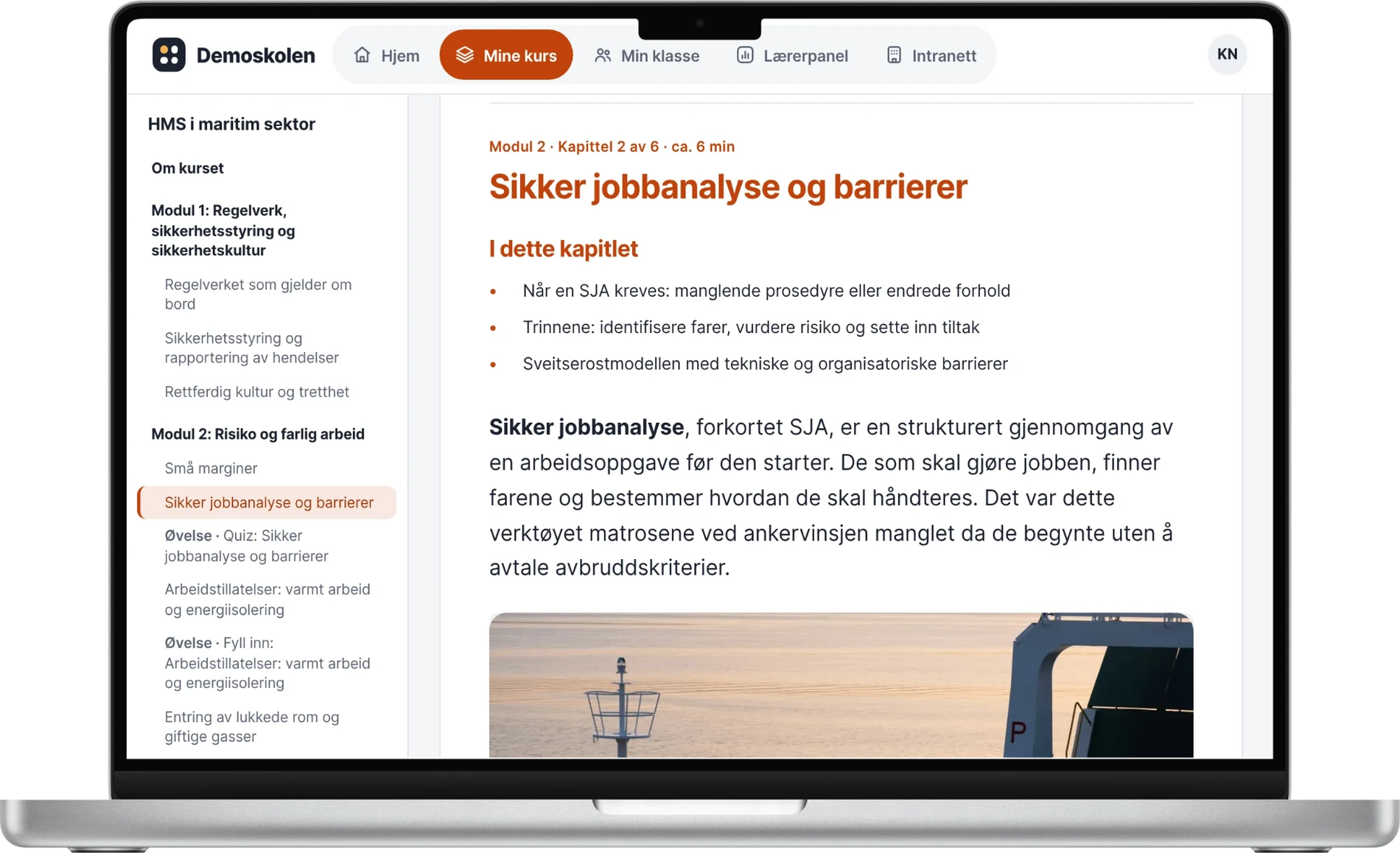
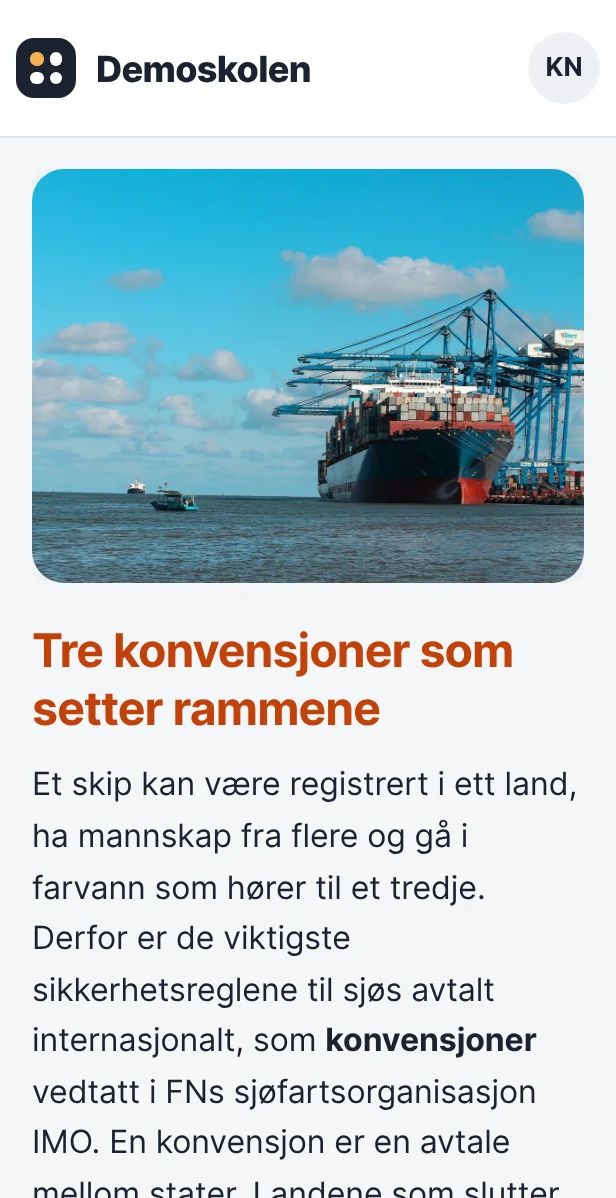
How Course Builder works
You decide. AI does the groundwork.
Follow a course from learning material to Moodle. Choose a step to see what Course Builder does.
Material in
You start with what you have.
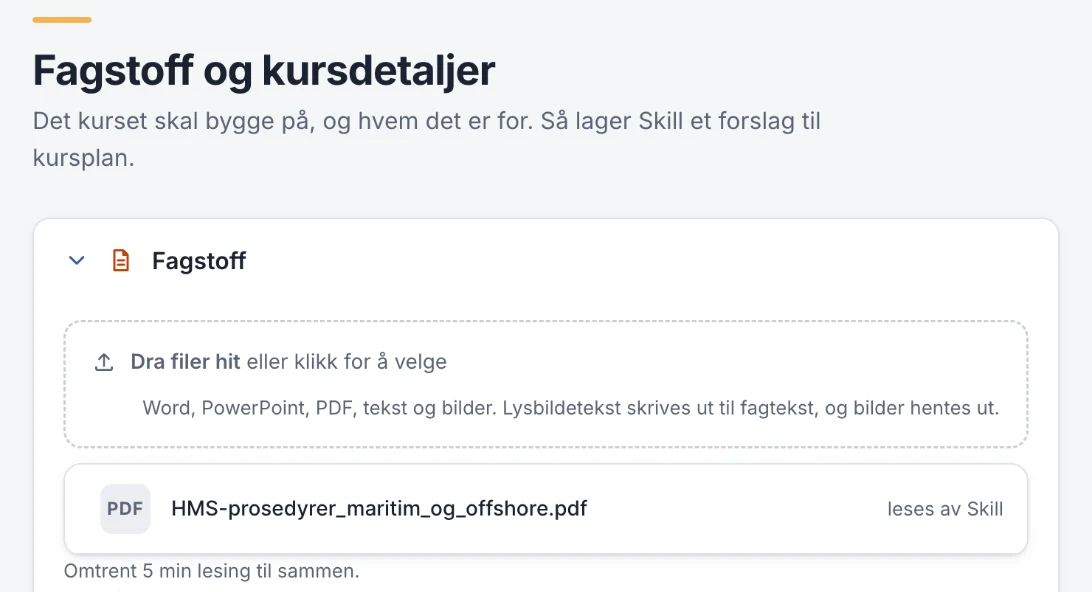
- Word, PowerPoint, PDF and text
- Slides are written out as running text.
- Images come along
- Images in Word and PowerPoint are extracted and can be used in the course.
- Web pages and video
- Up to 15 web pages. Links to YouTube and Vimeo end up in the right chapter.
- You choose the scope
- From 15 minutes to 10 hours. Course Builder converts this into modules and chapters.
Plan and sources
You see the plan before anything is written.
- Course plan with learning objectives
- Modules, chapters, time and three to five learning objectives per module.
- Gaps are flagged
- Course Builder tells you about thin material and contradictions in the documents.
- Change with Skill
- Write “shorter” or “more practice” and you get a new proposal.
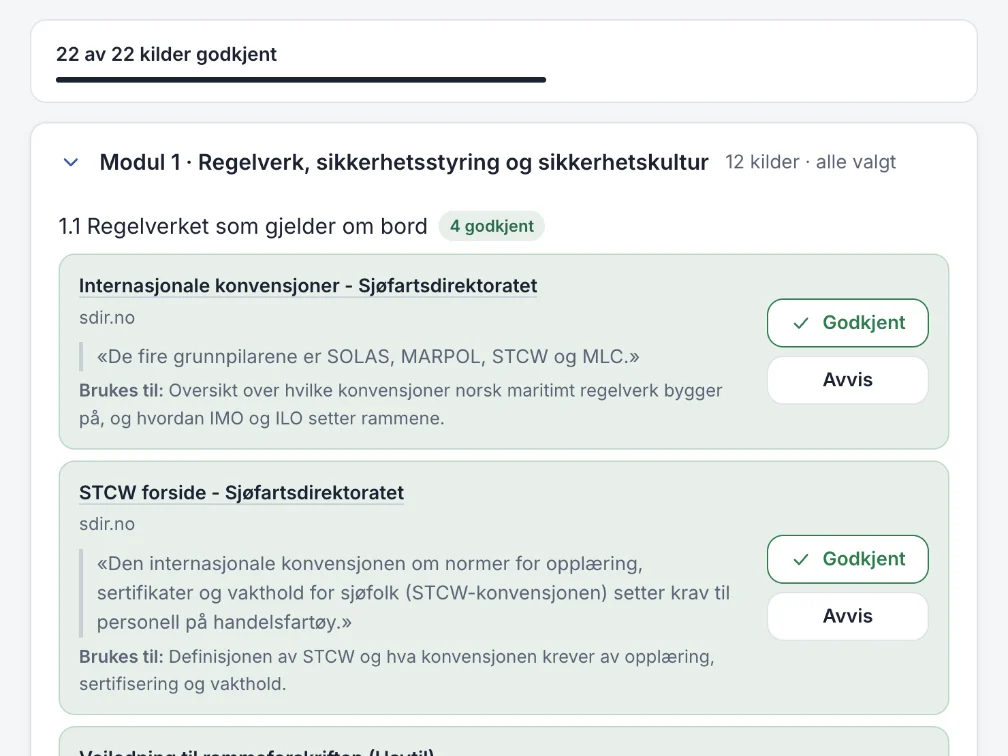
- Web sources you approve
- Each source is shown with a quote. Only the ones you approve are used.
Writing
The course is written in the background.
- Two passes on every chapter
- First a draft. Then a second AI pass that tightens the language and removes repetition.
- Sound teaching structure
- “In this chapter”, reading time, case, reflection and summary.
- Sources in the text
- Source numbers in the text and a reference list at the bottom.
- Eight languages
- Norwegian Bokmål, Norwegian Nynorsk, English, Swedish, Danish, German, Spanish and French.
Editing and design
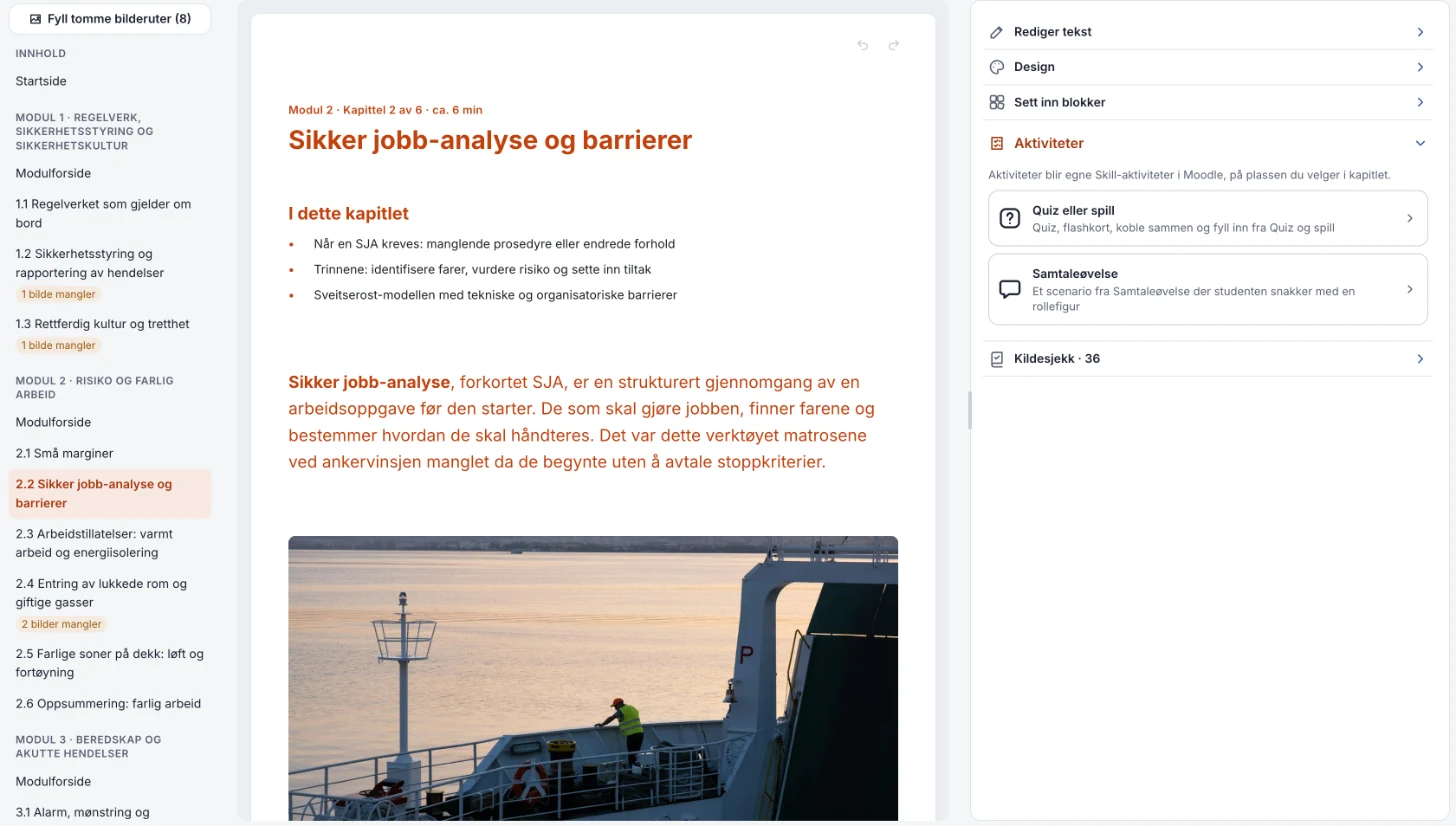
You see the course as it will look in Moodle, and make changes directly in the course.
- Edit the text directly
- Or select a paragraph and ask Skill to rewrite it.
- Blocks made by graphic designers
- 50 ready-made blocks: fact boxes, checklists, steps, tables, comparisons and cases.
- Image library included
- Photos with credits. Replace an image, upload your own and adjust the crop.
- Your brand
- Colours, font and logo from the portal. Choose a restrained, balanced or rich look.
Quizzes and exercises
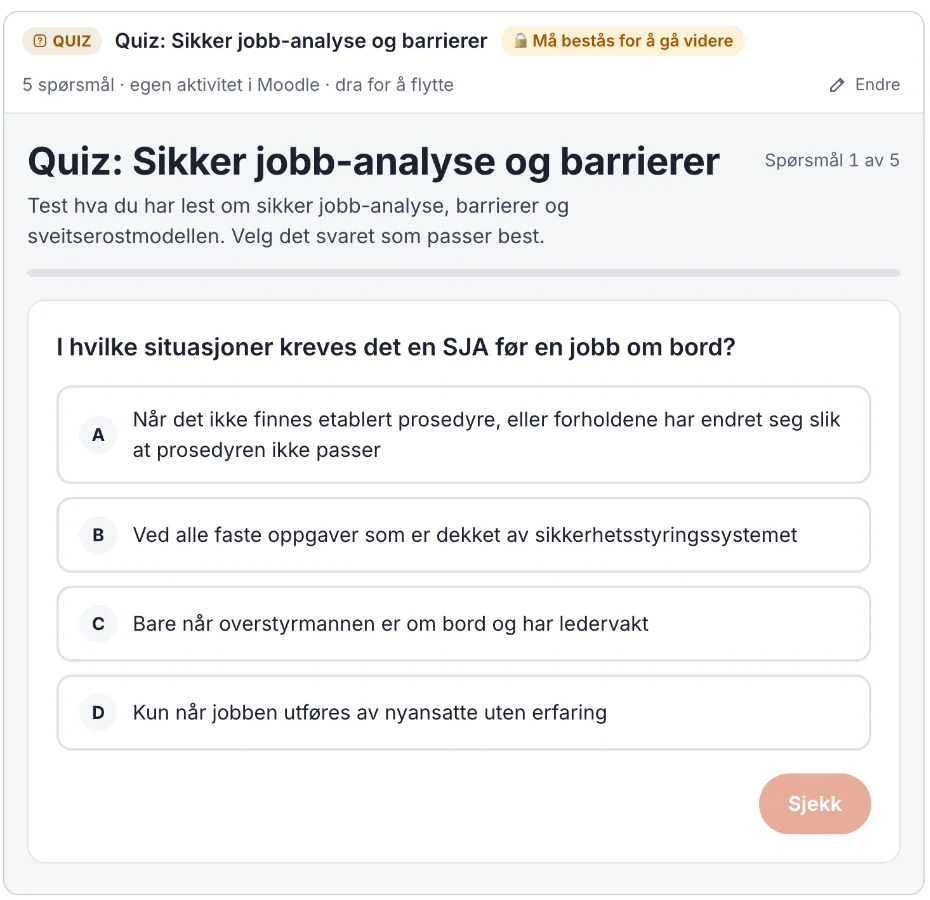
Practice where it belongs, in the middle of the chapter.
- Quiz, flashcards, matching and fill-in-the-blanks
- Made from the chapters you choose.
- Role Play
- A scenario where the participant practises a conversation using their voice.
- Practice or requirement
- Practice is the default. You can switch on grading and require a pass to continue.
- Easy to change
- Open the exercise, correct the questions and save.
Role play requires the Role Play module.
Delivery
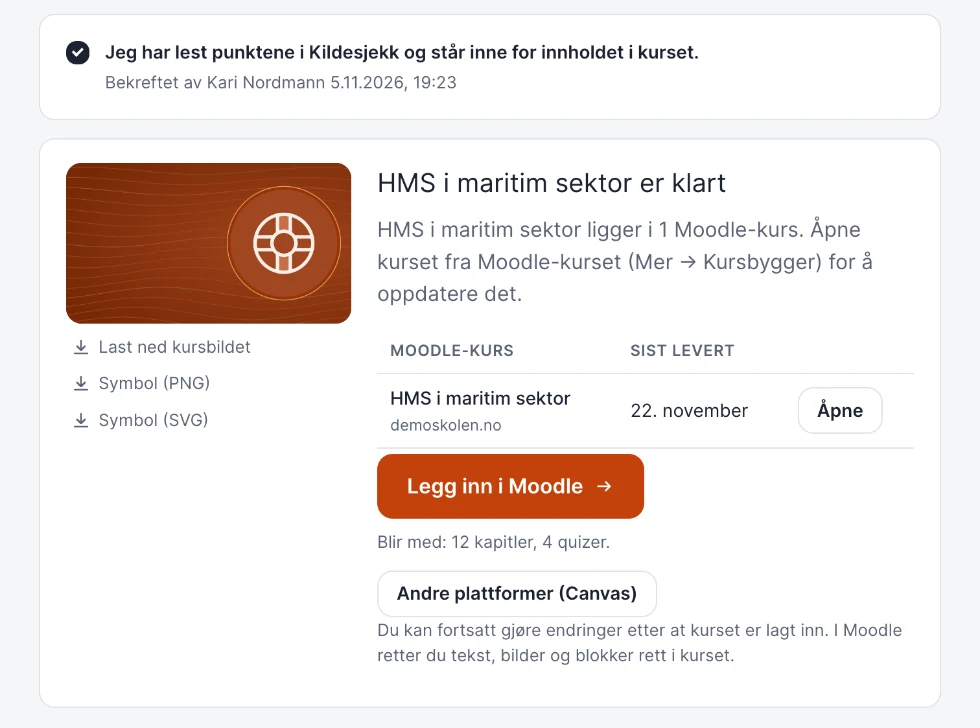
From Course Builder straight into Moodle.
- Checks before delivery
- Alternative text, headings and link texts are checked. Source Check shows what you should look over.
- Add to Moodle
- The course comes with a course image, progress tracking and the colours from the portal.
- Update
- Only what has changed is replaced. The participants’ work is kept.
- Share with colleagues
- Send a copy, or share the course with the whole organisation.
The finished course
This is what the courses look like.
Six courses made with Course Builder, as the participants see them. Open a course, use the menu and scroll through.
Why
Better for the students. Easier for the teacher.
Better for the staff. Easier for the subject expert.
A course does not have to be a page full of links and subpages. It can be simple and intuitive: everything is in one place, in the order it should be read.
For the students
For the staff
A course made to be read, not a PDF in a folder.
- No hunting through linksThe course is on one page. They scroll down and read, without searching through subpages.
- They see what they are going to learnLearning objectives, reading time and progress are shown in every chapter.
- The material is easier to take inShort paragraphs, boxes, steps, tables and images instead of dense walls of text.
- It works for more peopleThe course is adapted for mobile, with contrast, headings and alternative text in place.
For the teacher
For the subject expert
Time goes to the subject, not to copy and paste.
- The groundwork is doneYou start with a complete draft, not a blank page.
- You do not need to be a designerLayout, colours and images come by themselves.
- You are in controlYou approve the plan, the sources and the finished course.
- The course is easy to maintainYou update what has changed. The students’ work is kept.You update what has changed. What the staff have done is kept.
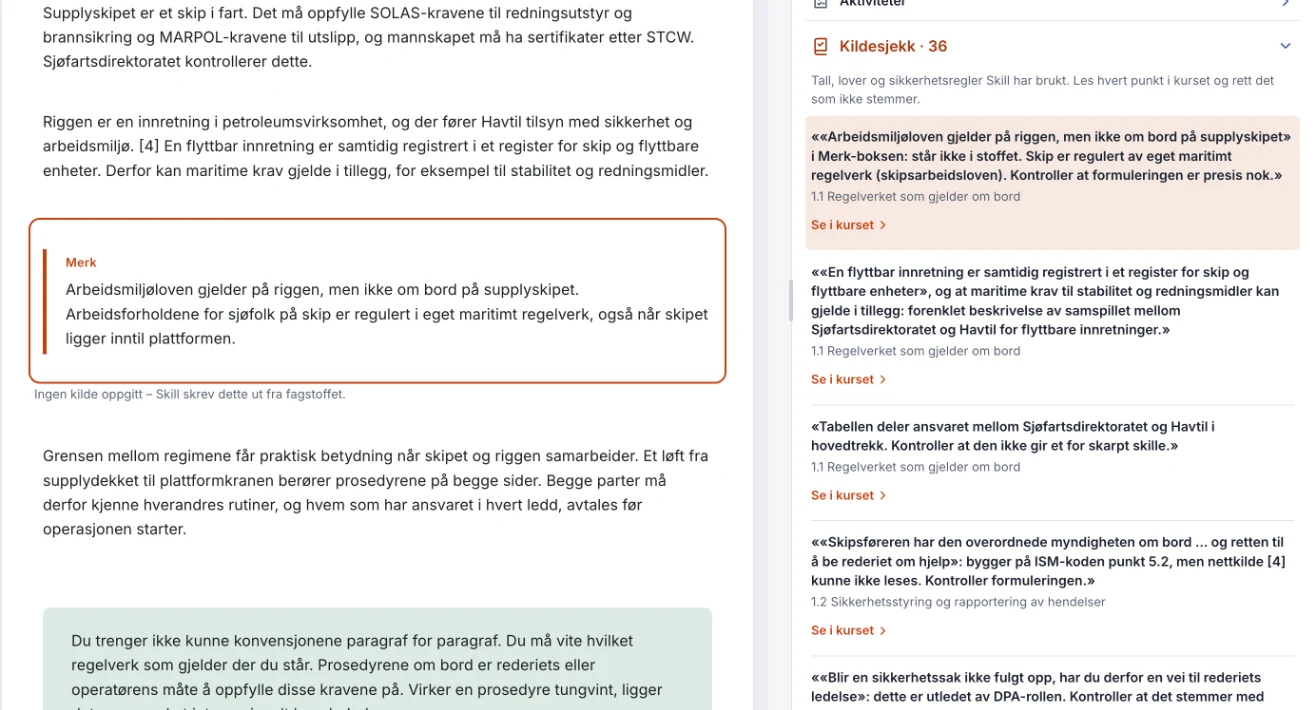
Source Check
The teacher is in full control.The subject expert is in full control.
AI can make mistakes. That is why Source Check points out the claims you should verify before the course is delivered. You click an item and see the place in the course and the source behind it.
See it in use
From learning material to finished course in Moodle.
The film shows the whole process in under two minutes, without sound. It has been shortened. In reality Skill spends around five minutes writing the course.
Request a demo
See Course Builder with your own material.
We are happy to have a meeting with no obligation. It takes 30 minutes.
- 1Send us a documentA booklet or a presentation you use today.
- 2We make a course from itIn Course Builder, with design and images.
- 3You see the resultWe go through the course together and answer questions.
Half price when you order by 01.02.2027.